The Korean Keyboard Layout (두벌식) Explained
A plain guide to the standard Korean keyboard layout (두벌식): where every consonant and vowel sits, how Shift works, and how syllables build themselves as you type.
What is the Korean keyboard layout?
Almost every computer and phone in Korea uses the same layout, called 두벌식 (dubeolsik, “two-set”). The name comes from the two sets of letters it uses: consonants and vowels. It is the national standard in South Korea, and it is the layout you get when you add “Korean” on Windows, Mac, iPhone or Android.
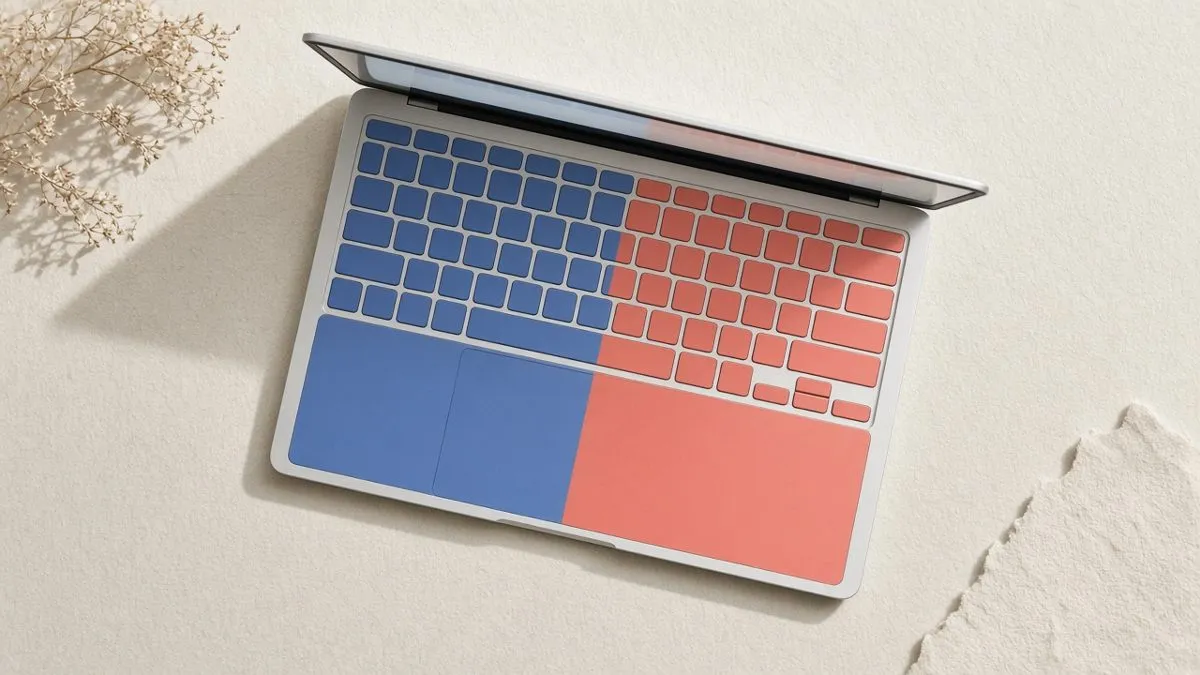
The good news for learners: you do not need a special keyboard. 두벌식 sits on top of the normal QWERTY keys. Each key simply has a Korean letter (jamo) assigned to it.
The one big rule: consonants left, vowels right
The whole layout follows one simple idea:
- Left hand types consonants. ㅂ ㅈ ㄷ ㄱ ㅅ on the top row, ㅁ ㄴ ㅇ ㄹ ㅎ on the home row, ㅋ ㅌ ㅊ ㅍ on the bottom row.
- Right hand types vowels. ㅛ ㅕ ㅑ ㅐ ㅔ on the top row, ㅗ ㅓ ㅏ ㅣ on the home row, ㅠ ㅜ ㅡ on the bottom row.
Because every Korean syllable starts with a consonant and then has a vowel, your hands naturally take turns: left, right, left, right. This rhythm is one reason Korean can be typed very quickly once you learn it.
Full key map (QWERTY key → Korean letter)
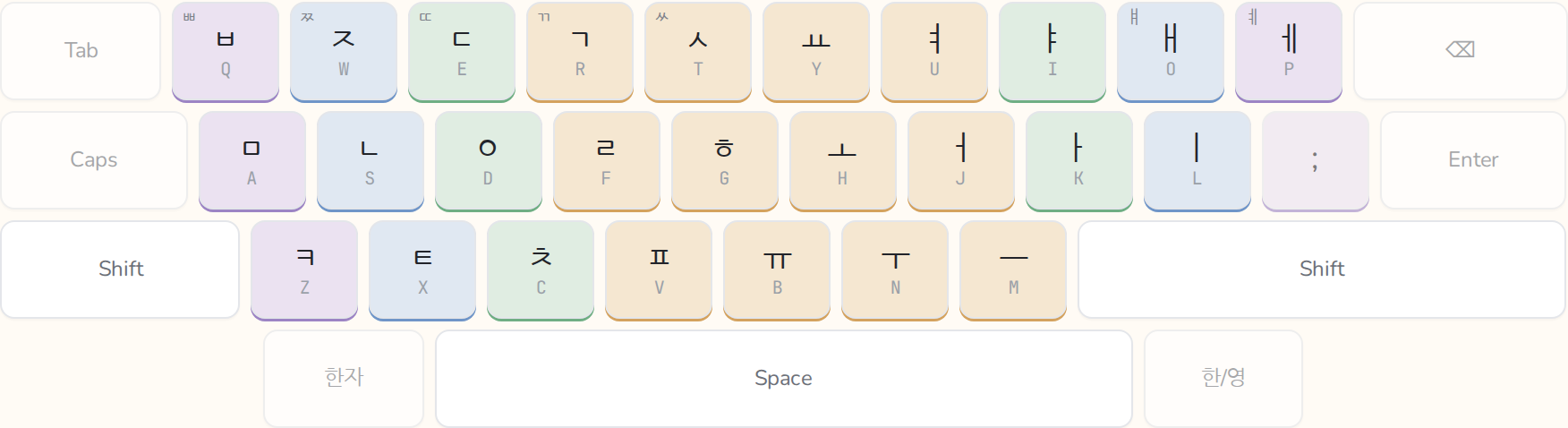
Top row: Q ㅂ · W ㅈ · E ㄷ · R ㄱ · T ㅅ · Y ㅛ · U ㅕ · I ㅑ · O ㅐ · P ㅔ
Home row: A ㅁ · S ㄴ · D ㅇ · F ㄹ · G ㅎ · H ㅗ · J ㅓ · K ㅏ · L ㅣ
Bottom row: Z ㅋ · X ㅌ · C ㅊ · V ㅍ · B ㅠ · N ㅜ · M ㅡ
You don’t need to memorize this table by reading it. Your fingers learn it much faster through short practice sessions.
What does Shift do?
Shift gives you seven extra letters, all on the top row:
- Shift + Q → ㅃ
- Shift + W → ㅉ
- Shift + E → ㄸ
- Shift + R → ㄲ
- Shift + T → ㅆ
- Shift + O → ㅒ
- Shift + P → ㅖ
The first five are the “double” (tense) consonants. The last two are vowels. That’s it. There is no Caps Lock in Korean, because Hangul has no upper and lower case.
Where are ㅘ, ㅝ, ㅢ and the other vowels?
They don’t have their own keys. Compound vowels are typed as two vowels in a row, and the keyboard joins them for you:
- ㅗ + ㅏ = ㅘ (as in 과)
- ㅗ + ㅐ = ㅙ
- ㅗ + ㅣ = ㅚ
- ㅜ + ㅓ = ㅝ (as in 원)
- ㅜ + ㅔ = ㅞ
- ㅜ + ㅣ = ㅟ
- ㅡ + ㅣ = ㅢ (as in 의)
Double final consonants like ㄳ, ㄺ or ㅄ work the same way: type the two consonants one after another.
How syllables build themselves
You never type a “space” between letters in a syllable. You just type the letters in order, and the input method stacks them into blocks automatically.
Try it: switch to Korean and type G K S. You’ll see ㅎ, then 하, then 한. Keep going with R N R D J and you get 한국어.
The input method is smart about where a consonant belongs. If you type 하 + ㄴ, the ㄴ becomes a final consonant (한). If you then type a vowel, the ㄴ jumps to the next syllable: 하 + ㄴ + ㅏ becomes 하나. You never have to tell it where a syllable ends.
Why learn 두벌식 and not something else?
There is also a three-set layout (세벌식) that some enthusiasts use, and phones offer extra layouts like 천지인. But 두벌식 is:
- the standard on every Korean computer,
- the default “Standard” or “QWERTY” Korean keyboard on phones,
- the layout on Korean keyboard stickers and printed keyboards.
If you learn one Korean layout, learn this one.
How long does it take to learn?
The layout has only 26 keys to learn (19 base letters on the left and right, plus 7 with Shift). Many learners can find every key within a few short sessions. Touch typing, meaning typing without looking, takes longer, but it builds quickly if you practise a little each day rather than in long, rare sessions.
The trick is to learn a few keys at a time, using real words, and only add new keys once the old ones feel easy.
Practise the layout
Typing Korean teaches 두벌식 this way. You start with five keys (ㅁ ㅏ ㅇ ㄴ ㅜ), type real Korean words with their meanings read aloud, and new keys appear as you master the old ones. Each session is short, and at the end you see how much of the keyboard you’ve mastered.